Writing with AI
AI Writing vs AI Writing Assistant: Who Holds the Pen on Your Manuscript?

Romance novelist writing cozy, small-town love stories from a bookshop café in Asheville.
Two writers sit down on the same Saturday with the same idea: a lighthouse keeper who finds a letter addressed to her, dated forty years in the future.
The first types the premise into an AI writer and presses Generate. By lunch she has 60,000 words. The prose is smooth. The plot moves. And when she reads it back, she can't find herself anywhere in it. The jokes aren't hers. The keeper talks like a stranger. She has a book, but she doesn't feel like its author, and she isn't sure what to change because she didn't make any of it.
The second writer types the same premise into an AI writing assistant. By lunch she has two chapters, an outline she argued with, and a note that her keeper's age changes between scene two and scene five. Every sentence on the page is one she wrote or chose. It's slower. It's also, unmistakably, her book.
Both writers used AI. The difference is who held the pen.
That's the whole question behind "AI writing vs AI writing assistant", and it matters more than most tool comparisons let on. It decides whose voice ends up in the book, what you can claim as your own work, and how you answer Amazon's AI question when you publish.
Two jobs that get sold under one word
"AI writing" has become a catch-all, but the tools under it do two very different jobs.
An AI writer produces the text. You give it a prompt, a premise or an outline, and it returns paragraphs, chapters or a whole draft. Its success is measured in words generated. You become the commissioning editor of a book someone else drafted.
An AI writing assistant supports the person producing the text. It reads what you wrote, tells you what's working and what isn't, keeps track of your story's facts, and offers a suggestion when you ask for one. Its success is measured in how much better your draft gets. You stay the author.
| AI writer | AI writing assistant | |
|---|---|---|
| Who drafts the words | The AI | You |
| What you give it | A prompt | Your manuscript |
| What you get back | New prose | Findings, questions and optional suggestions |
| Whose voice is on the page | An average of its training data | Yours |
| What a change looks like | It writes, you edit | You write, it flags |
| Best at | Speed, volume, blank-page panic | Finishing, revising, keeping a long book consistent |
| Amazon KDP status | Usually "AI-generated" | Usually "AI-assisted" |
Neither is evil, and neither is a toy. Some people want a fast first draft to react to; a ghostwritten book is a legitimate thing to want. But if you set out to write your book, a tool built for the first job will quietly do the opposite of what you came for.
The control test: five questions to ask any AI tool
Marketing pages blur this line on purpose, because "AI that writes your book" and "AI that helps you write" both sell. So ignore the headline and ask these five questions instead.
1. What happens to my text when I click the button?
This is the most revealing question. Does the tool overwrite your paragraph, or does it show you a suggestion next to it and wait? An assistant should never change a word you wrote without an explicit "yes" from you.
2. Does it start from my manuscript, or from a blank prompt?
An AI writer's natural input is an instruction ("write chapter seven where they fight"). An assistant's natural input is your existing work. If the main box on the screen is a prompt field, you're looking at a writer.
3. Does it remember my book?
A tool that forgets your characters between sessions can't help you keep a 90,000-word novel consistent. It can only generate more text that may contradict what's already there. Real assistance needs a memory of your story: who's who, what happened when, what you set up and haven't paid off.
4. Can I use it without it writing anything at all?
Try to imagine using the tool on a day you don't want a single generated sentence. If there's nothing left to do, it's a writer. If it still finds your continuity errors, your flat chapters and your weakest scene, it's an assistant.
5. Who owns and sees my manuscript?
Read the privacy page. Is your manuscript used to train the model? Is it sold? Who can read it? An assistant you hand an unpublished book to should answer all three plainly.
Why the difference matters more than it looks
Your voice is the only thing nobody else can write
Readers forgive a slow chapter. They don't forgive a book that sounds like every other book. Generated prose tends to drift towards the middle: the most likely next word, the most familiar image, the safest rhythm. That's exactly what makes it fluent, and exactly what makes it forgettable. When you write the sentences, the oddities that make your voice yours survive.
Ownership is not just a feeling
In the United States, the Copyright Office's position is that copyright protects human authorship. Material generated entirely by AI isn't protected on its own, while a work a human wrote using AI as a tool can be. The law is still developing and it differs by country, so this isn't legal advice. But the practical direction is clear: the more of the text you actually wrote, the firmer your claim to it.
Amazon asks you directly
When you publish on Amazon KDP, you're asked whether your book contains AI-generated content. Amazon separates AI-generated content (text, images or translations created by an AI tool, which you must disclose) from AI-assisted content (work you created yourself and used AI to edit, refine, check or improve, which you don't have to disclose). Using an assistant to analyse and give feedback on your own prose sits on the "assisted" side. Check Amazon's current guidelines before you publish, because they do change. We go deeper in Amazon KDP's AI disclosure rules, explained and where publishers and readers draw the line between AI-assisted and AI-generated.
You can't revise what you didn't build
When a machine drafts the book, you don't know why a scene is there, what it's setting up, or what breaks if you cut it. Revision becomes guesswork. When you wrote it, a note like "this twist has no setup" is something you can fix in an afternoon, because you know where the setup should go.
Where StoryWith AI sits: an assistant, by design
StoryWith AI is our own product, so weigh what follows with that in mind. We built it on one rule: writing was never the hard part. Knowing whether the book holds together is. So StoryWith reads the manuscript you wrote and shows you its structure, so you can finish it.
It doesn't write the book for you. It gives you editorial analysis and reader feedback, and your words stay yours.
Nothing changes until you press Replace
StoryWith does have AI help inside the editor, because sometimes you're stuck on a sentence and want options. Select any passage and you can ask it to Tighten, Rewrite, Describe, Analyze, follow an Instruction, or Continue the next beat in your voice.
Here's the part that makes it an assistant rather than a writer: the AI only ever offers a suggestion. You can accept it, insert it below your own text, or discard it. Nothing on the page is overwritten until you press Replace. Your original paragraph is never silently swapped for a machine's.
And none of it is required. You can start a book as a blank canvas, a titled empty editor with one chapter and no AI unless you ask for it.
It reads your book, then tells you what it found
The heart of StoryWith isn't generation, it's diagnosis.
- Diagnostics. Continuity, dependencies, readability, dialogue, argument soundness and readiness blockers, all in one deduplicated list sorted by severity (Critical, High, Medium, Low).
- Next Steps. Every finding becomes a card that explains why it matters and suggests a direction, without rewriting text you didn't ask it to touch. You can open the scene, mark it resolved, pin it, or defer it for a week.
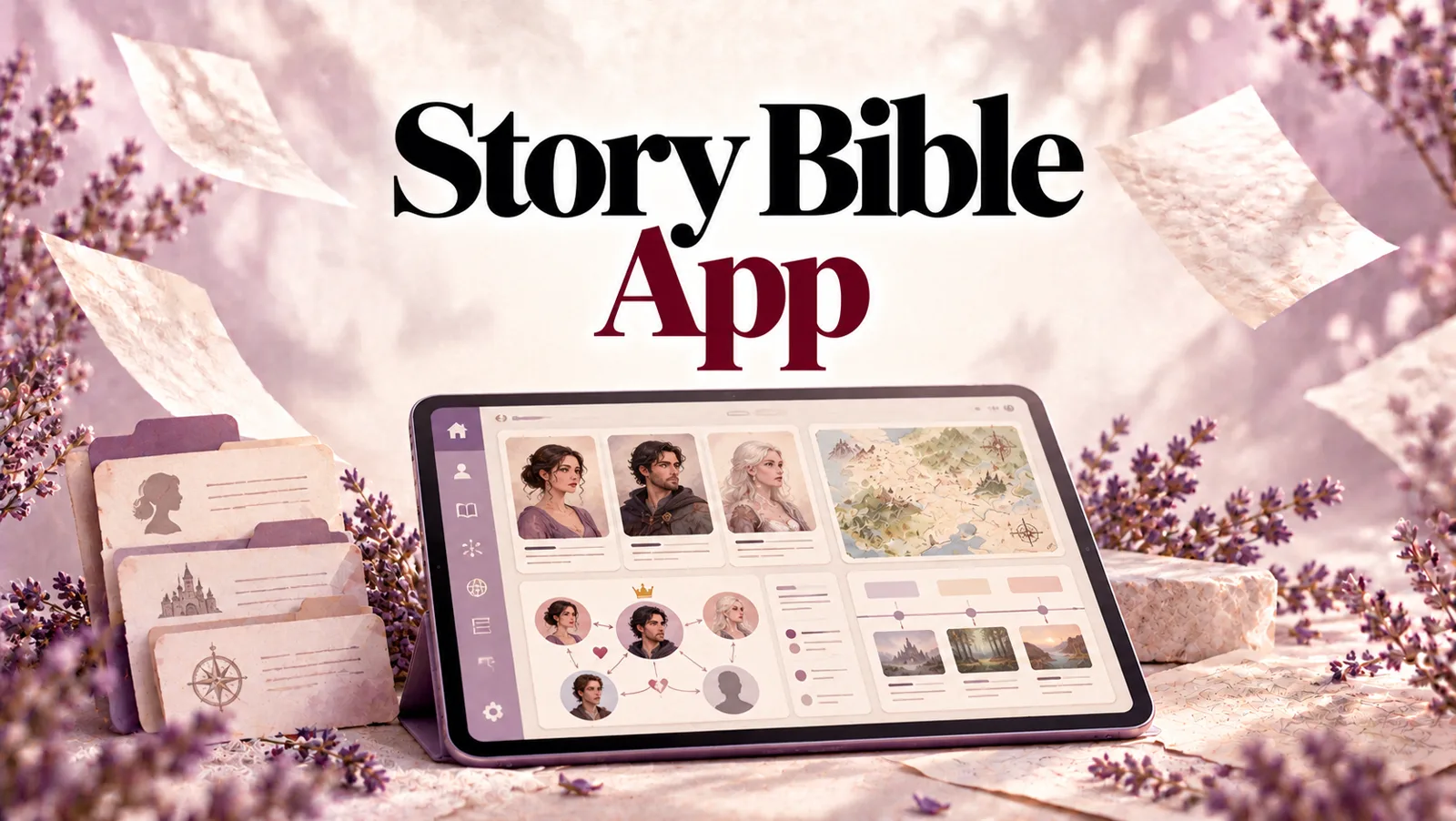
- Story Bible. Your characters, places and dates in one place, updated as you write, so the assistant remembers your book even when you don't.
- Readiness score. A score with blockers and checks, such as whether every chapter has scenes, the book is internally consistent, twists are set up before they pay off and readability stays in range. Run it before a revision and again after.
Picture a sample manuscript of 82,140 words, 24 chapters, 91 scenes and 17 characters. A writer couldn't hold all of that in their head at once. StoryWith can, and it hands the findings back to you as decisions to make, not edits it has already made. (For how that whole-book pass works step by step, see our guide to editorial analysis.)
Readers, simulated and real
Under Review, you pick 3 to 5 AI reader personas and a goal. Each one rates the passage for engagement, clarity, emotional impact and genre fit, and the panel shows where they agree and where they split. StoryWith is upfront that these personas are simulated and directional, not a substitute for real readers. So you can also invite real beta readers through a private link that expires when you choose.
When you're ready to send it out
The Pitch Kit builds cover art (Painterly, Minimal or Photographic), title alternatives, a back-cover blurb, a query letter and a submission checklist, all drawn from your manuscript. Pre-publish validation checks the basics, such as at least 3 chapters, no empty chapters, at least 10 scenes and 10,000+ words. You can export to Markdown, plain text, Word or PDF, ready for Vellum, Atticus, Word or Pandoc.
Writing non-fiction? StoryWith tracks subjects, sources and an argument map instead of characters, with argument-soundness checks, fact-check support, a proposal generator and bibliographies in APA, MLA or Chicago.
Your manuscript stays yours
- Your manuscripts are not used to train AI models.
- They are not sold.
- They are visible only to you and the collaborators or readers you invite.
- If you cancel, your books stay in your account and you can export them. Cancelling removes the AI allowance, not your work.
The two writers, one more time
Go back to the lighthouse keeper.
With an AI writer, the first writer's job after lunch is to edit a stranger's book into her own, line by line, hoping her voice shows up somewhere along the way.
With StoryWith, the second writer's job after lunch is the one she wanted all along: write chapter three. Before she does, she fixes the keeper's age, because the Story Bible caught it. Later she runs Diagnostics and learns the letter from the future arrives with no setup at all, so she plants it in chapter one. When she gets stuck on a sentence, she asks for a tighter version, reads it, keeps half of it and discards the rest.
At the end of the book, every word is one she chose. That's the difference between AI writing and an AI writing assistant.
How to pick the right tool for you
Choose an AI writer if you want the fastest possible draft, you're comfortable with heavy editing, and authorship in the full sense isn't what you're after.
Choose an AI writing assistant if you want to finish a book in your own voice, you're revising a draft you already have, you're juggling a long cast or a complex timeline, or you want a clean answer when Amazon asks about AI.
Choose StoryWith AI if you want the assistant to be the whole studio: an editor where AI only suggests, diagnostics that read the entire manuscript, a Story Bible that remembers it, readers to test it on, and a Pitch Kit to send it out.
What it costs
You can start free, with no card needed. The Free plan includes every tool, unlimited books, 50 one-time AI text actions, 15 one-time AI images, manuscript import and basic scans.
| Plan | Price | Who it's for |
|---|---|---|
| Free | $0 | Trying it on your own manuscript |
| Author | $19/month | Most solo writers: 500 AI text actions and 30 images a month, full scans, up to 2 collaborators per book |
| Pro | $39/month | Full-time authors and editors: unlimited AI text actions, 150 images a month, Pitch Kit and non-fiction proposal generator, up to 5 collaborators |
| Studio | Flat team rate | Teams: unlimited members, shared library, roles and pooled AI |
Yearly billing saves more, and prices are charged in USD. Check storywith.ai/pricing for the current numbers.
Questions writers ask us
Does StoryWith AI write my book? No. It analyses the manuscript you wrote and brings you reader feedback. There's optional AI help in the editor for individual passages, but it only suggests, and nothing changes until you press Replace.
Do I have to finish my draft first? No. The scans work on three chapters as well as thirty.
Is it like Sudowrite or NovelAI? Those tools are built to generate prose. StoryWith is built to diagnose the writing you already have.
Will using it count as AI-generated on Amazon KDP? Using AI to analyse and give feedback on your own prose falls on the "AI-assisted" side of Amazon's distinction, which doesn't require disclosure. If you insert AI-written text or use a generated cover, read Amazon's current rules on whether to disclose it.
Is my manuscript used to train AI? No. It isn't used for training and isn't sold. Only you and the people you invite can see it.
Does it replace a human editor? No. Think of it as the first pass before a human editor, so that editor spends their time on what only a person can see.
The short version
An AI writer gives you a book. An AI writing assistant helps you write one. If the book is meant to be yours, in your voice and under your name, pick the tool that keeps the pen in your hand.
StoryWith AI reads your manuscript, remembers it, tests it on readers and tells you what to fix. Then it gets out of the way so you can write. Start free at storywith.ai.